5 Manipulations That Infuriate Users
2026-03-04T18:21:41.621ZDeceptive design tricks that trade long-term trust for short-term metrics. Here's what they look like in the wild, why they work on our psychology — and why they ultimately backfire.
You've seen these before. The unsubscribe link that's practically invisible. The popup where the "No" button quietly insults you. The trial that "forgot" to mention it would start billing you. These aren't accidents — they're dark patterns: interface decisions deliberately designed to trick users into doing things they didn't intend to do.
The term was coined by UX designer Harry Brignull back in 2010, but the techniques have only gotten more sophisticated since. Let's break down the five worst offenders.
Confirmshaming – The Guilt Trip
Want to close this popup? Sure — just publicly admit you hate saving money. The reject button is carefully worded to make you feel like an idiot for declining. It's a cheap emotional lever disguised as a choice.
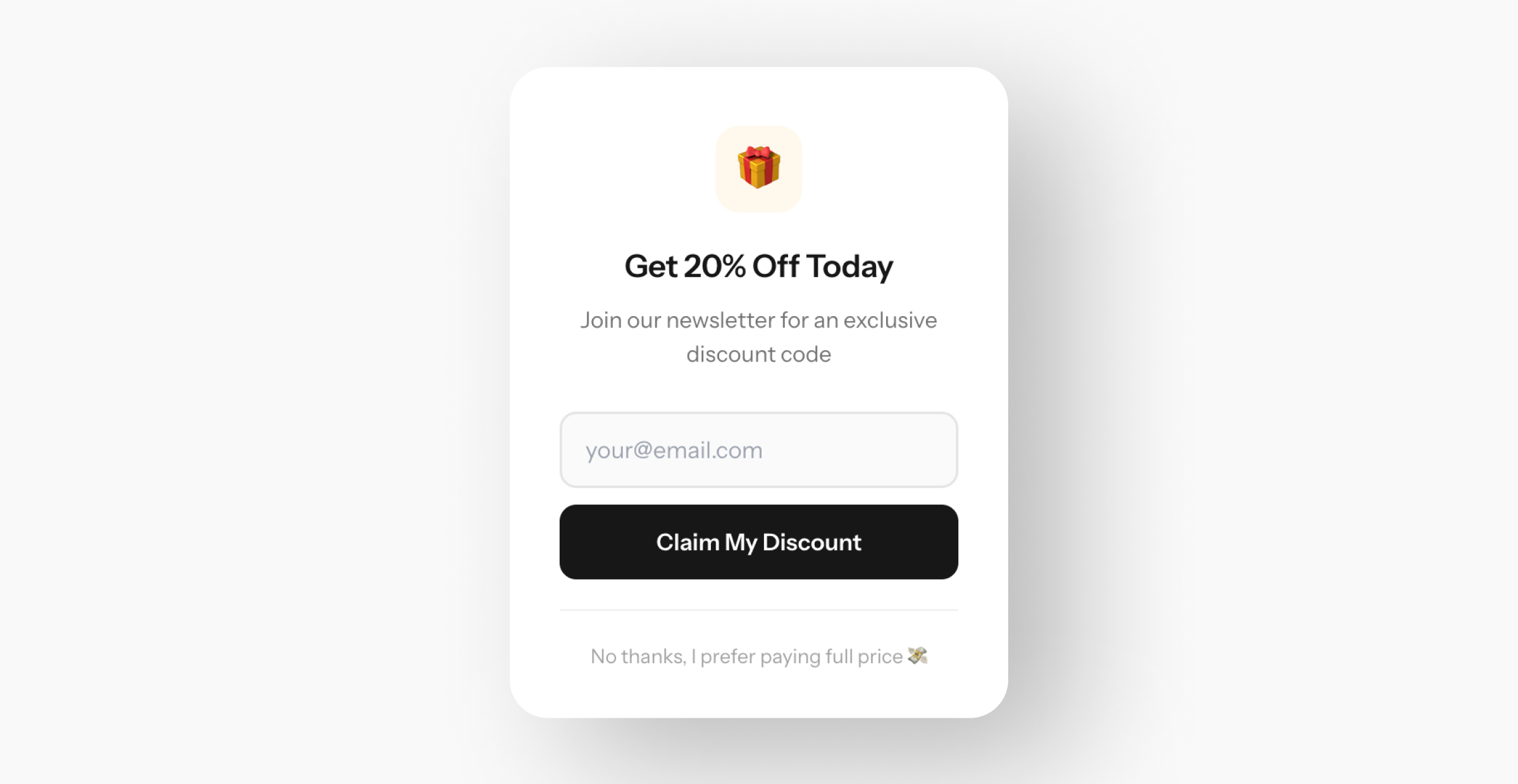
The right way: Two equal buttons. “Subscribe” and “No, thanks.” No subtext, no passive aggression. Respecting the user's decision is UX too.
Roach Motel – The One-Way Door
Signing up takes a single tap. Cancelling? That's an 8-step obstacle course buried behind nested menus, guilt screens, retention offers, and a mandatory “cooling-off period.” Amazon spent years making Prime cancellation deliberately painful — until EU regulators forced them to simplify it.
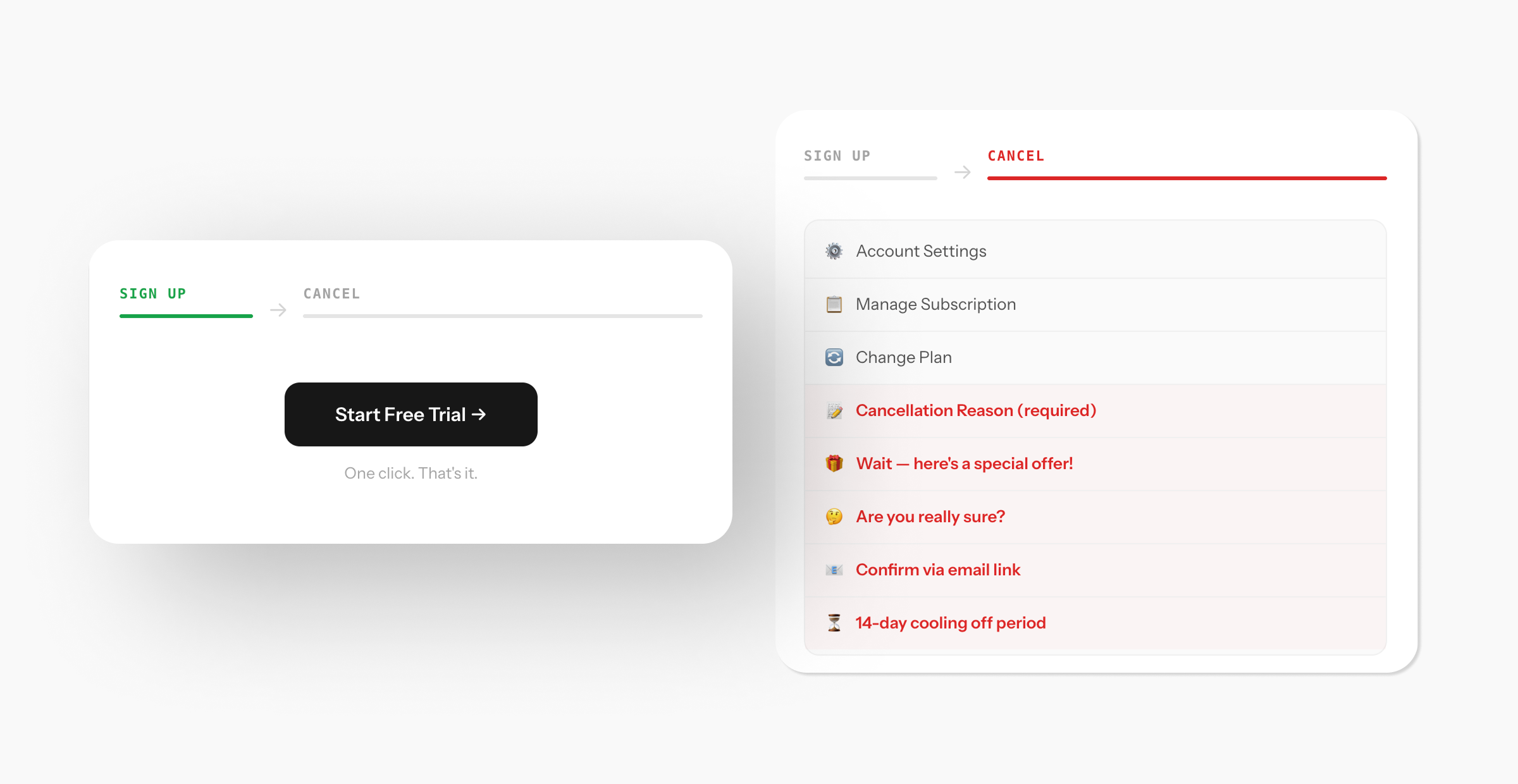
The right way: If the user can subscribe in two clicks, unsubscribing should take two clicks. Retention through convenience always outperforms retention through traps.
Trick Questions – The Brain Pretzel
Privacy settings with a long list of checkboxes. One reads: “Uncheck if you don't want to not receive our newsletter.” Read it again. Now imagine twenty of those in a row. Double and triple negatives turn informed consent into a coin flip.
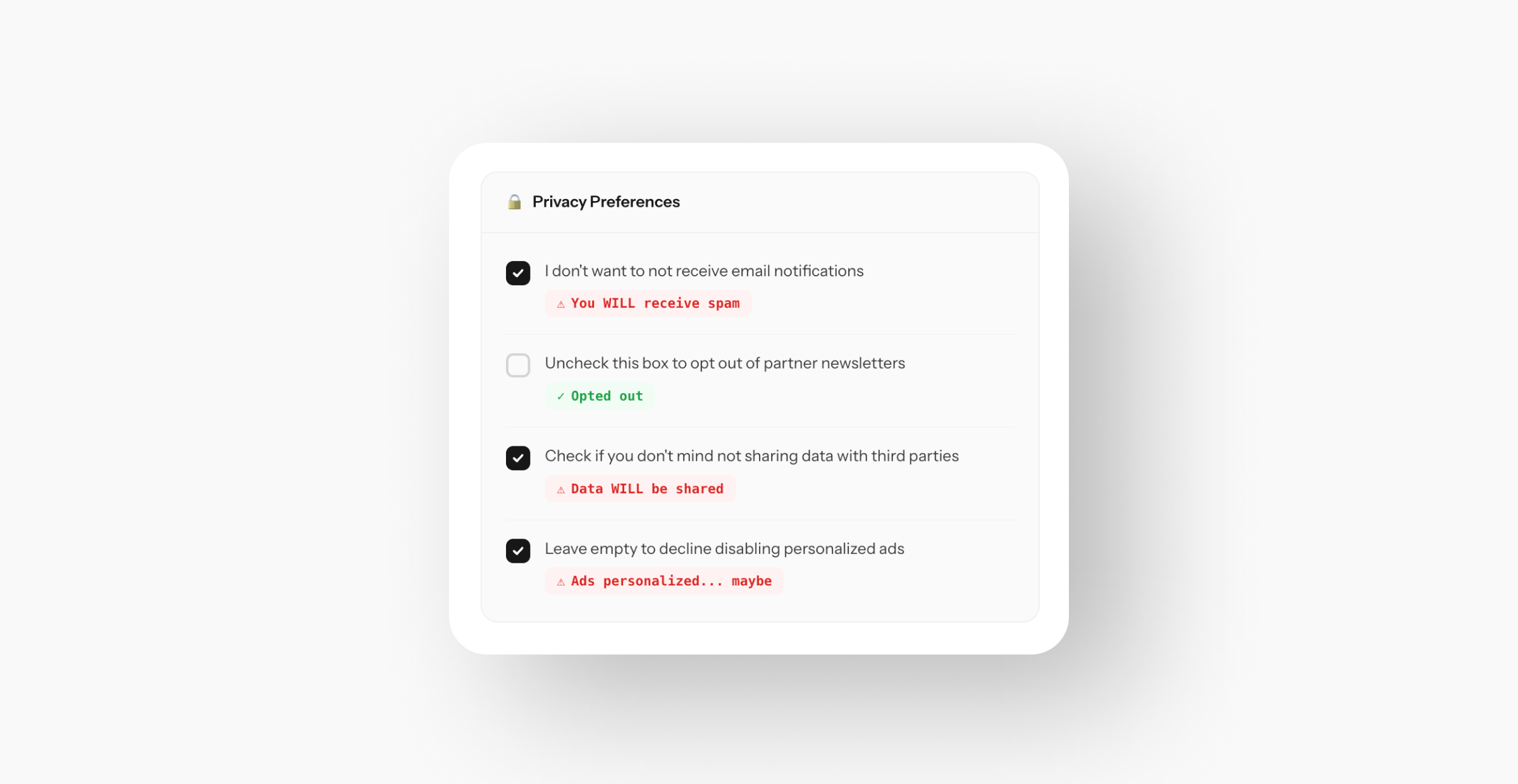
The right way: One checkbox, one action, one clear sentence. If the user needs to re-read it twice, the copy has failed.
Disguised Ads – The Fake Button
You just want to download a file. But the page shows three big, colorful “Download” buttons — and only one is real. The rest are ads dressed up to look like the actual action. The real link? A tiny, grey, underlined whisper at the bottom that most people never see.
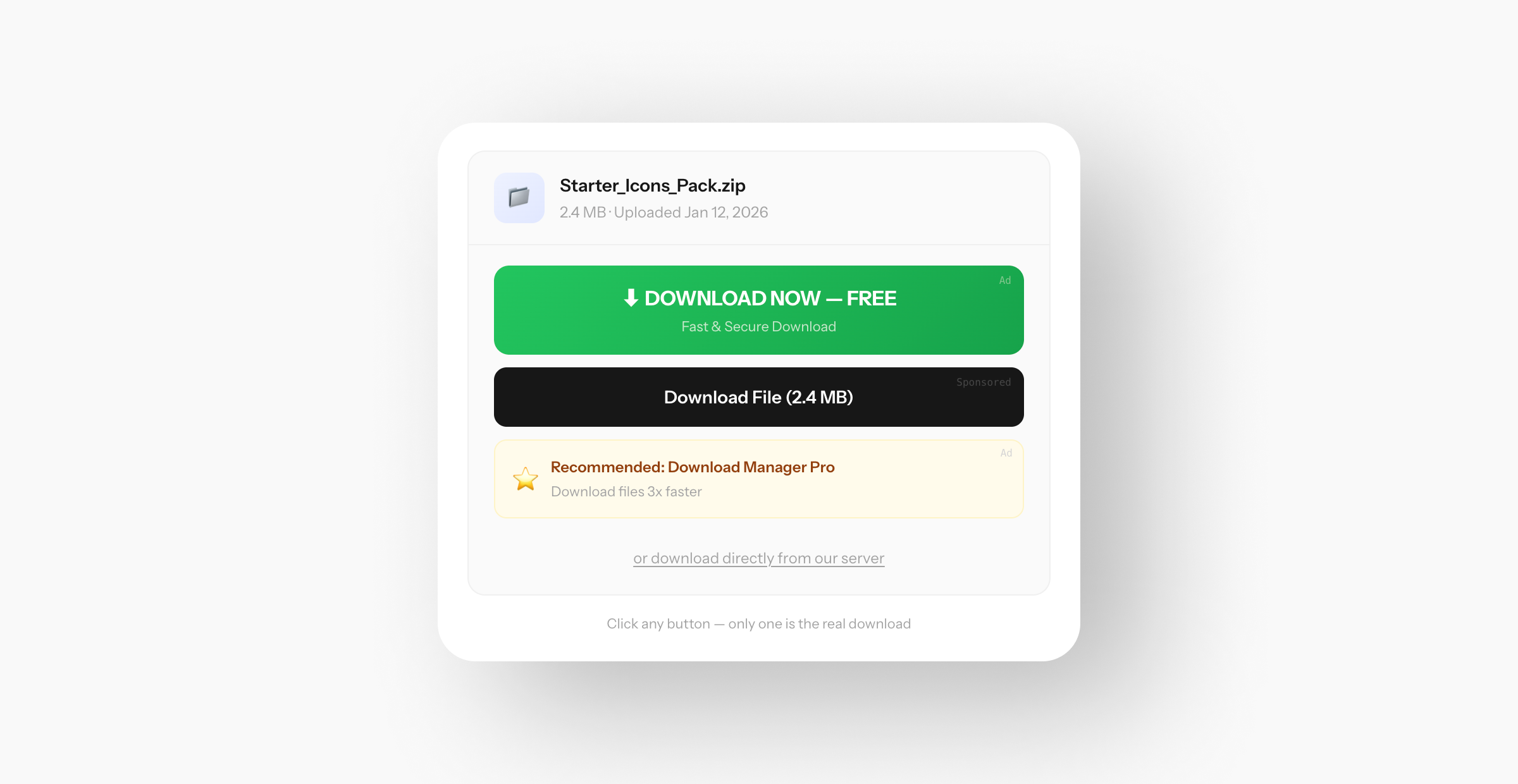
The right way: One clear, prominent download button. No ads disguised as interface elements. If you must show ads, make them visually distinct from the page's core actions — not camouflaged to steal clicks.
Forced Continuity – The Silent Charge
“Free 7-day trial!” Sounds harmless. But your card is required upfront, no reminder is sent when the trial ends, and billing starts automatically. Three months later, you discover $44.97 in charges for a service you never used past day two.
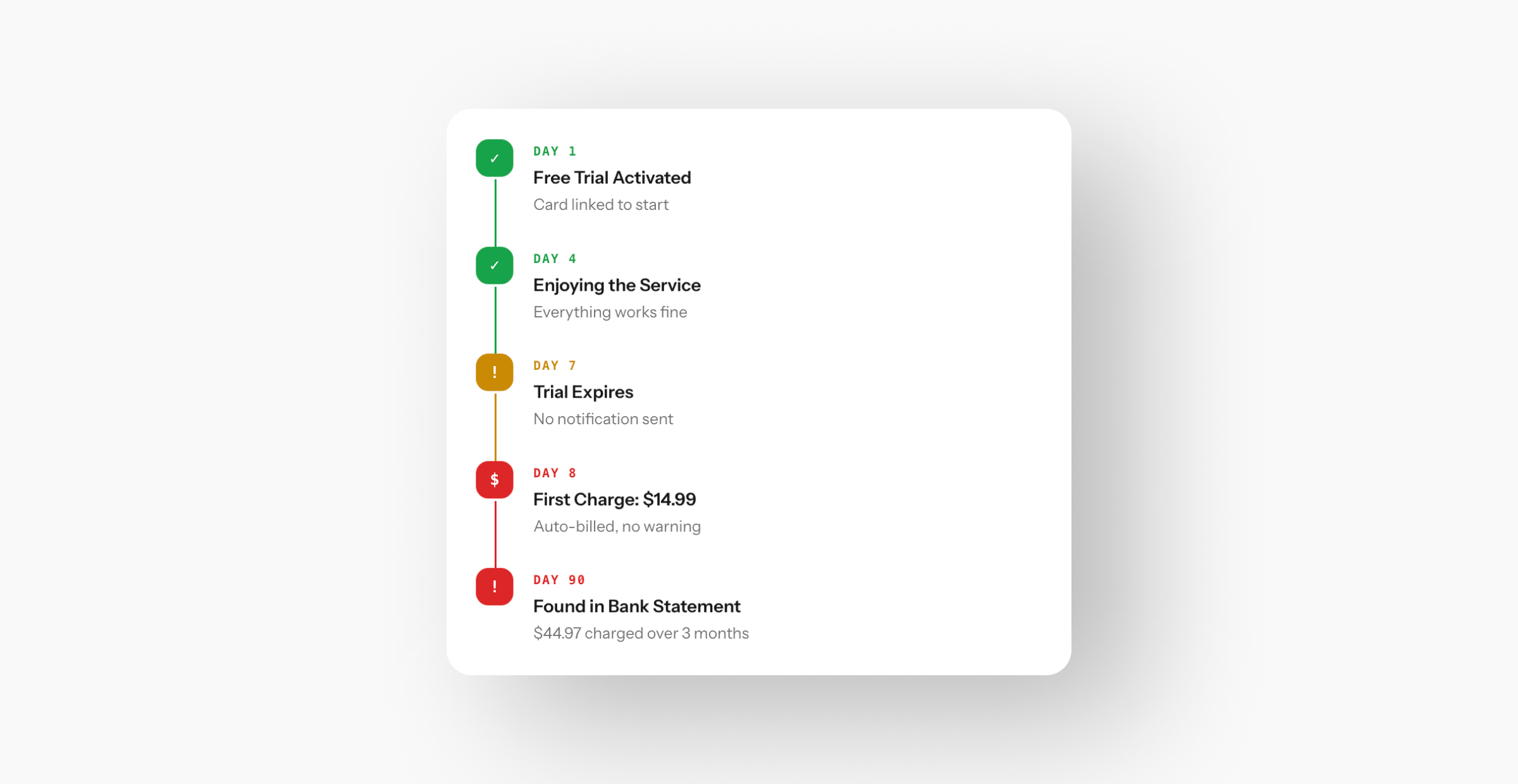
The right way: Send a reminder 2–3 days before the trial expires. One-click cancellation. Transparent terms from second one. This doesn't lower conversion — it filters your audience down to people who actually want the product.
Why This Matters for Designers
Dark patterns aren't “clever marketing.” They're interfaces designed against the user. And in the long run, they lose: the FTC and GDPR are already fining companies for deceptive design, users vote with their feet, and reputational damage compounds silently.
Good design is built on honesty. When an interface helps users make informed decisions, conversion grows organically, lifetime value increases, and the brand earns trust instead of resentment.
Every mockup, every UI kit, every template is a tool. It's up to the designer whether that tool works for the user — or against them.