Unlimited access to every mockup
and all four editors
Static, Live, 3d Studio and the Mockup Plugin for Figma — with the whole library and every new pack as it comes out.
In Start and Pro
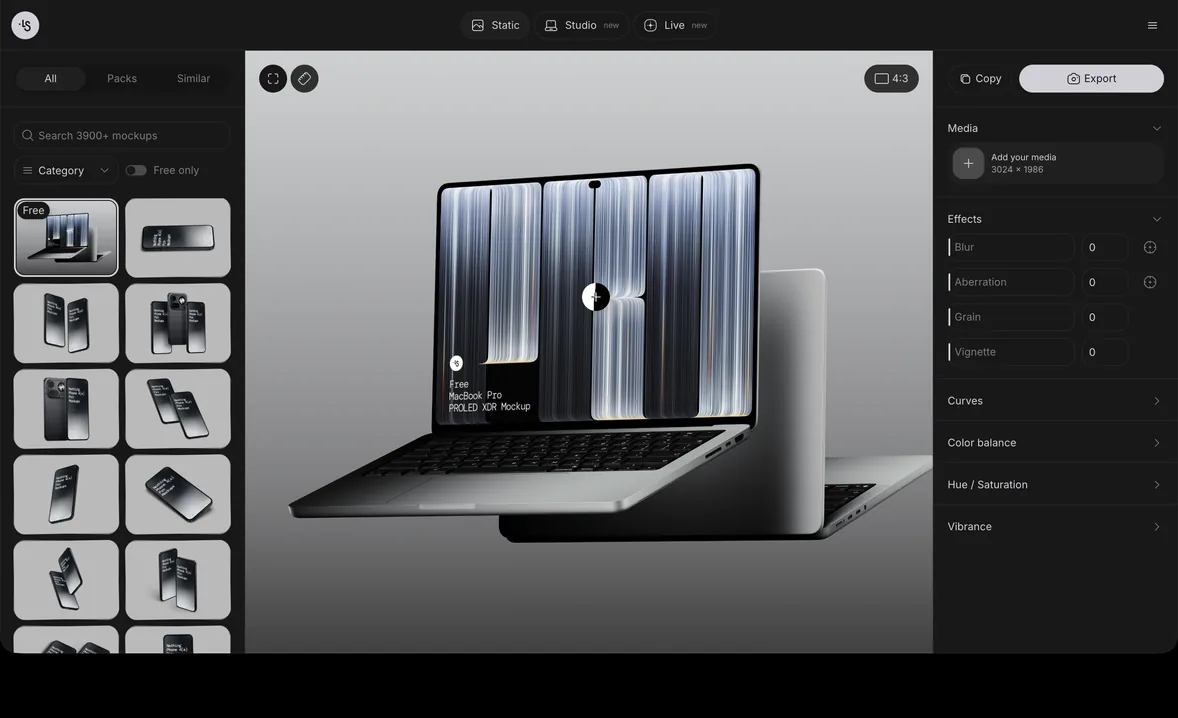
Static Editor
Static mockups in the browser: drop your design in, pick a color, export.


- The whole mockup library inside
- Your image or video on every screen
- Change any mockup's color — solid or gradient
- Export PNG, layered PSD
- MP4 & transparent WebM from video screens
Start here
- Search, categories, Packs & Similar
- Recently used mockups
- Drag & drop a file onto a screen
- Color & size variants
- Mockup a website by its URL
Make it yours
- Crop, fit, tile, rotate & scale
- Video screens with a timeline
- Solid, linear & radial gradients
- Soft-focus blur
- Color fringing
- Grain & vignette
- Tone and color adjustments
- Crop to 1:1, 16:9, 4:3, 9:16 or custom
- Undo & redo
- Light & dark interface, guided tour
- Warp brushes & cylinder wrap
- Logos placed on 3D products
- Real iOS & macOS interfaces around your design
- Rulers, guides & composition overlays
- Long scroll & video of your website
- Animated text and logos
Export
- Copy the image to the clipboard
- SVG export
- Choose the output size
In Pro
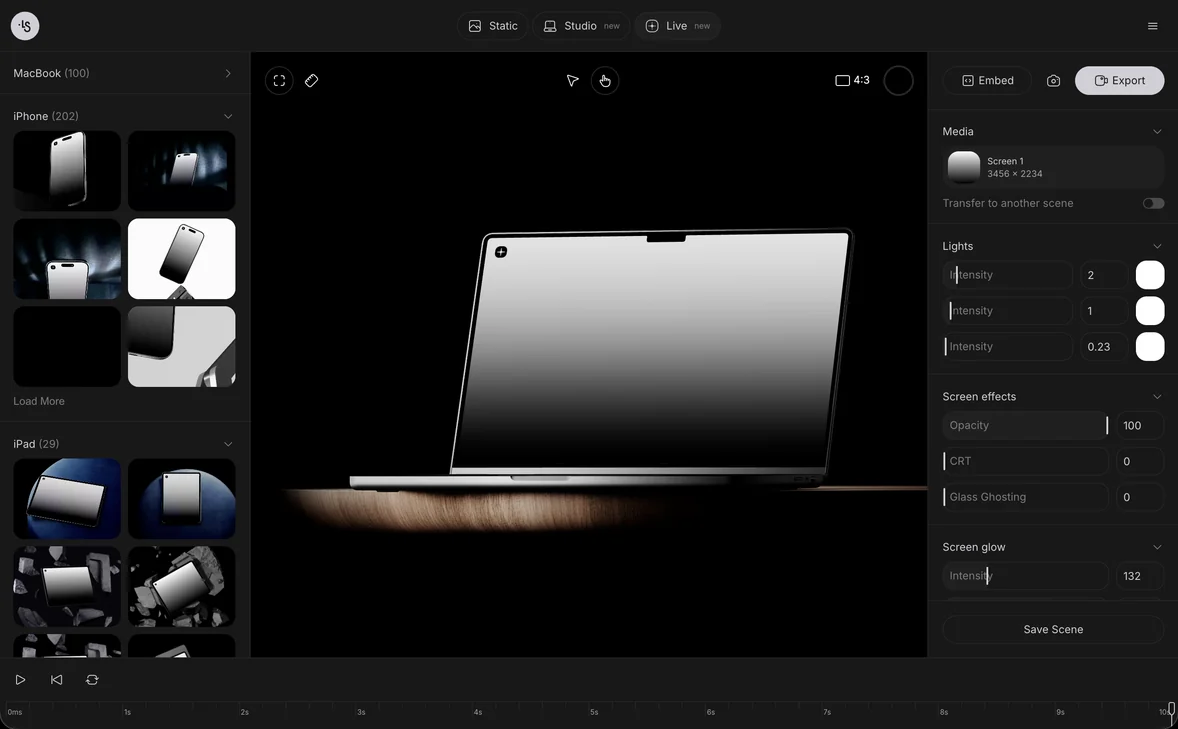
Live Editor
Turn a static screenshot into a moving device shot for your portfolio, Dribbble post or landing page. Start from a ready scene, drop your design in, export.


- 386 ready animated 3D scenes
- Export MP4 or WebM up to 4K, 60 fps
- Embed code: HTML, React, Vue or iframe
- Your image or video on the screen
- Transparent video & PNG
Start here
- Drag to turn the device
- Play, scrub & loop
- Animation speed
- Mockup a website by its URL
Make it yours
- Device finishes
- Lights: color & intensity
- Realistic studio lighting
- Camera zoom, lens & distance
- Retro CRT look
- Realistic screen reflections
- Glass screen reflections
- Screen glow
- Blur, color fringing, grain & vignette
- Finishing touches: color, grain, glow
- Layered gradient & image backgrounds
- Real iOS & macOS interfaces around your design
- Rulers, guides & composition overlays
- Long scroll & video of your website
- Animated text and logos
- Several videos played back to back on one screen
Export
- Render in the cloud, not on your laptop
- Stills up to 8K (7680 px)
- Embed by link (URL)
- Embed triggers: click, hover, scroll, load, in view
- Follow the cursor, shake or zoom on click
In Pro
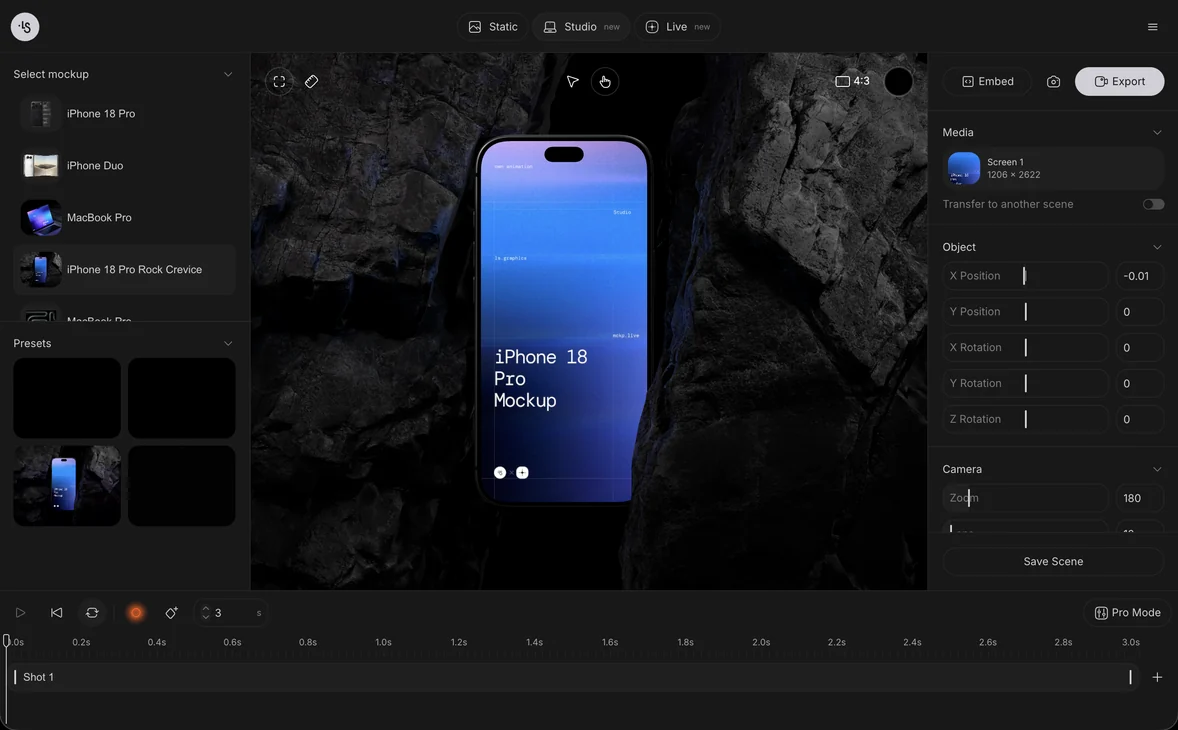
3d Studio
Direct your own shot: keyframe the camera and the device, render 4K in the cloud. Live starts from a ready scene; Studio lets you build the motion yourself.


- Keyframes on a timeline
- 118 presets on 20 devices
- Export MP4 or WebM up to 4K, 60 fps
- Render in the cloud, not on your laptop
- Several shots on one timeline
Start here
- Record mode: move things, keyframes appear
- Choose the device
- Your image or video on the screen
- Saved scenes
- Mockup a website by its URL
Make it yours
- Smooth, snappy or custom motion curves
- Timelines up to 5 minutes
- Video track with a filmstrip
- Device position & rotation
- Portrait or landscape
- Device colors & finishes
- Aimable studio lights
- Camera zoom & lens, keyframed
- Wide-angle lens
- Animated effects & screen glow
- Retro CRT look & glass screen reflections
- Blur, color fringing, grain & vignette
- Layered & transparent backgrounds
- Graph editor for animation curves
- Rulers, guides & composition overlays
- Animated text and logos
- Several videos played back to back on one screen
- Long scroll & video of your website
Export
- Stills: PNG, JPG or WebP
- Embed code with triggers
In Pro
Mockup Plugin for Figma
Select a frame, get a mockup, paste it back as layers — without leaving Figma.


- Takes the selected frame, group or layer
- Pastes back as editable layers
- Select a pasted mockup to edit it again
- Live 3D and the 3d Studio timeline inside Figma
Start here
- Search the whole library, Packs & Similar
- Recently used mockups
- Your design in at up to 4K
Make it yours
- Color & size variants
- Colors, effects & adjustments
- A picture or video on every screen
- Animated Figma frames become video screens
- Warp & Distort tools
- Light & dark interface, guided tour
Export
- Pastes the render next to your frame
- Paste video straight to the canvas
- Export PNG, PSD, SVG, MP4 & WebM
What's new
The latest updates to the editors and the site, as they go live.
- Scroll a website in 3d StudioAdd Url on a screen in 3d Studio types an address and takes the whole page: Longscroll runs one continuous pass down it in the device's own browser window, with its speed and motion tuned in Adjust media. Pages are captured faster, the progress shows while it works, and only the light or dark theme you picked is taken.
- The timeline follows the length you setIn 3d Studio the length field is what plays, saves and renders: set it shorter and the shots and keys past it are hidden, not deleted, and come back when you lengthen it. The ruler is the scene's length, Fit to video fits to the part of the clip that plays, and a screen's video can start later, with its first frame held or its end looping in before it.
- Clean screen edges on 3D devicesA dotted line of light pixels could show where a device's screen meets its frame, in the editor and in exported videos, most visibly on light backgrounds. Screens now sit on a dark panel, as on a real device, and the edge stays clean.
Yours on day one
View All4,441 mockups (3,937 static mockups, 386 Live scenes, 118 3d Studio presets) — all in Pro, source files included.
Why designers stay on Pro
5,000+ active subscribers, 1.5M+ Figma plugin installs, 1M+ newsletter subscribers
Used by designers at


Extended license
One single, full extended license — use freely, just don't resell.
New packs or updates every week
Each release lands in your plan the day it ships, and the packs you already use keep getting updates.